

Most apparel teams don't fail at data integration because they picked the wrong software. They fail because they tried to connect eight systems at once, ran out of steam by week three, and ended up with half-mapped spreadsheets nobody trusts. Then everyone quietly goes back to emailing Excel files and pasting tracking numbers into a WhatsApp group.
What most small and mid-size brands actually need isn't a big enterprise platform. They need a sequence. A roadmap that says: connect this first, ignore that for now, and don't touch this until the earlier piece is working. That's what this is — a phased, vendor-neutral way to stitch together your purchase orders, work-in-progress, and shipment data so the whole chain actually talks to itself.
This isn't theory. It's the pattern that shows up when you watch brands running on Google Sheets, a light ERP, three factory portals, and a freight forwarder's tracking page eventually crawl toward something coherent. The order matters more than the tools.
Why apparel data breaks in the middle, not the edges
The data at the two ends of your chain is usually fine. Your design and tech-pack data is reasonably clean because someone owns it. Your final shipment data is clean because the freight forwarder gives you a tidy document. It's the middle — the handoff between "we placed an order" and "it's on a boat" — where everything falls apart.
Think about the journey of a single style. It starts as a tech pack, becomes a costed BOM, turns into a purchase order to a factory, gets broken into cut orders, moves through sewing as WIP, gets packed, generates an ASN, and finally becomes a receipt in your warehouse. Every one of those transitions is a place where the style code changes format, someone re-keys a quantity, or a color name gets abbreviated differently.
A typical example: your PO system calls it SS25-TSHIRT-NVY-M. The factory's production tracker calls it Navy Tee / Med. The ASN lists it as TS-1042-NAV. All three are the same SKU. None of them match. So when you try to reconcile "did we ship what we ordered," you're doing it by hand, style by style, at 11pm before a retailer delivery window.
This happens for structural reasons, not sloppy ones. Each system was adopted at a different time to solve a different fire. Nobody sat down and said "these need to speak the same language" because there was never a moment when that felt more urgent than shipping the next drop.
What actually breaks as you scale
At 30 styles a season and one factory, the mismatch is annoying but survivable. One person holds it all in their head. At 150 styles across four factories, that same person becomes a bottleneck who can't take a vacation without something slipping.
Eliminate delays in your fashion production cycle.
GoTailo helps you manage designs, orders, and inventory effortlessly, keeping production on schedule.
- Centralized order and inventory management
- Real-time supplier communication
- Integrated production scheduling
No credit card required
The failure points multiply in a specific order:
-
Reconciliation stops happening. When matching PO to WIP to ASN takes hours, people skip it. They assume the factory is right until a customer complaint proves otherwise.
-
Chargebacks creep in. You ship 480 units when the PO said 500, nobody catches it, and the retailer deducts for a short shipment weeks later.
-
WIP becomes a black box. You genuinely don't know how much is cut vs. sewn vs. finished across your factories, so your S&OP forecasts drift from reality.
-
Traceability collapses. When something goes wrong — a fabric defect, a recall — you can't tie a shipment back to a specific cut order or roll because the identifiers never linked.
Data governance and integration are really the same conversation. If you haven't thought about who owns each data field, it's worth reading through operational data governance for apparel teams before you start wiring systems together — integration without ownership just moves the mess faster.
The foundation: a canonical data model
Before you connect anything, you need one agreed-upon "truth" for what your core objects are. This is the canonical data model, and it's the single most skipped step. Teams jump straight to integrations and then wonder why nothing lines up.
You don't need a database architect for this. You need a shared definition of maybe six or seven core entities and their key fields. A practical starting point:
| Entity | Canonical key | Critical fields | Owner |
|---|---|---|---|
| Style | STYLE_ID (fixed format) | season, category, base color, size range | Design/Product |
| SKU | STYLE_ID + color + size | barcode/GTIN, canonical color code | Product |
| Purchase Order | PO_NUMBER | factory, style, ordered qty, ex-factory date | Production |
| Cut Order | CUT_ID linked to PO | fabric roll refs, cut qty by size | Factory liaison |
| WIP status | CUT_ID + stage | cut/sewn/finished qty, date, line | Production |
| ASN | ASN_ID linked to PO | packed qty, carton count, ship date | Logistics |
| Receipt | ASN_ID + warehouse | received qty, discrepancy flag | Warehouse |
Every downstream system maps to these canonical keys, not to each other. You never try to make the factory portal talk directly to the freight system. Both translate into the canonical model, and reconciliation happens against that. This keeps the number of mappings from exploding as you add factories.
Pick a canonical style ID format early and refuse to change it — consistency beats beauty for reconciliation.
Teams that get this right pick a canonical style ID format early and refuse to change it, even when it's ugly. A messy-but-consistent SS25-1042-NAV beats a beautiful naming scheme that three people interpret differently. If you're wrestling with how styles move through their whole lifecycle, the thinking in building an operational state machine from tech-pack to obsolescence pairs well here — the canonical ID is what lets that state machine actually track a style across systems.
The prioritized integration matrix
Not every connection is worth the same effort. Most teams treat all integrations as equally important, burn time connecting a low-value system, and leave the critical PO→WIP link broken.
| Integration link | Frequency | Cost of error | Priority |
|---|---|---|---|
| PO → Factory acknowledgment | Per order | High (wrong qty/date locked in) | 1 — do first |
| Cut Order → WIP status | Daily during production | High (blind production) | 2 |
| WIP → ASN | Per shipment | High (chargebacks, shorts) | 3 |
| ASN → Warehouse receipt | Per delivery | Medium (found later) | 4 |
| BOM → Costing | Per style, seasonal | Medium | 5 |
| Fabric roll → Cut Order | Per cut | Medium (traceability) | 6 |
| Returns → Inventory | Ongoing | Lower urgency | 7 |
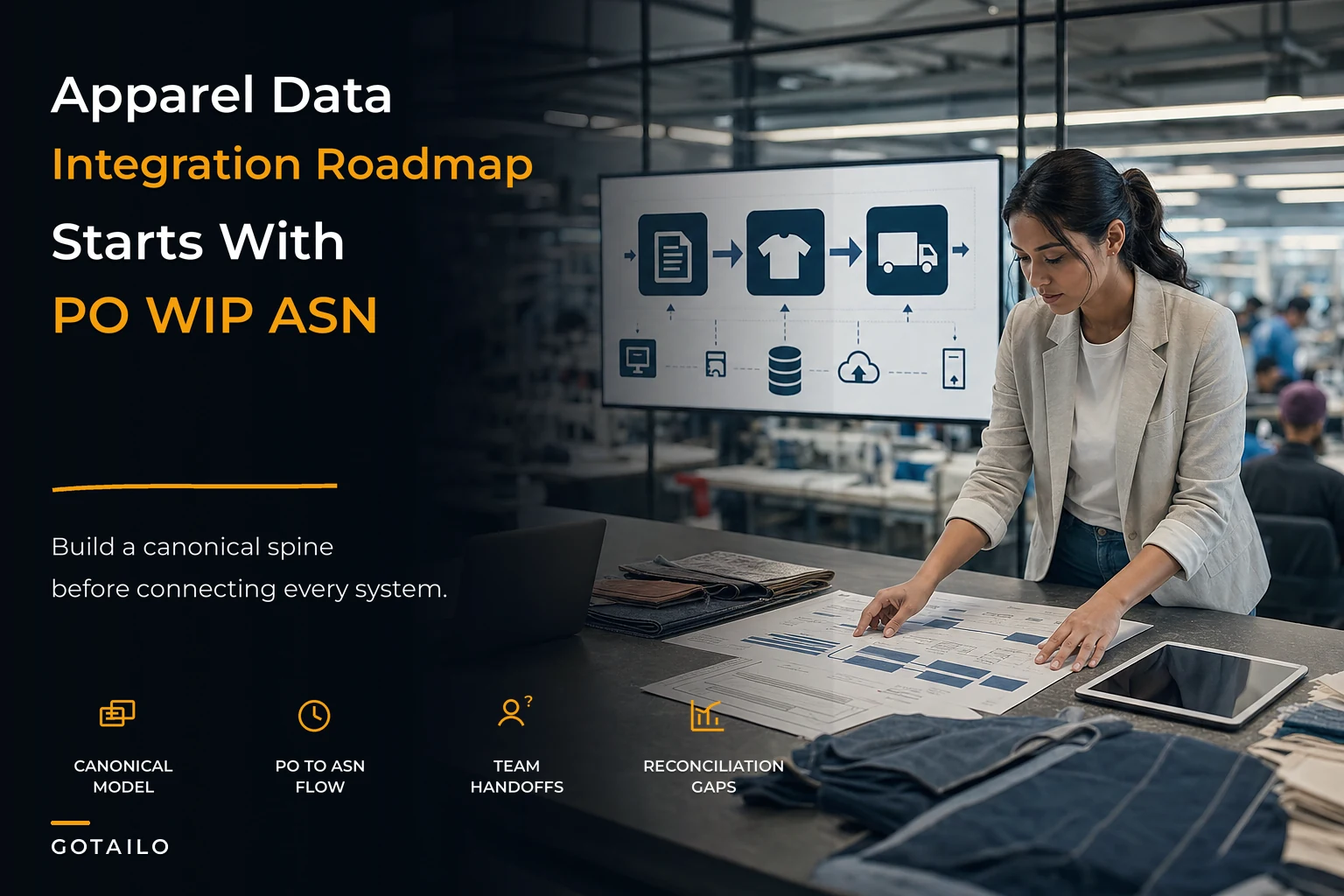
The PO→WIP→ASN spine is where you start, in that order. It's the path a physical order takes, and it's where money leaks fastest. Everything else can wait until that backbone is reliable.
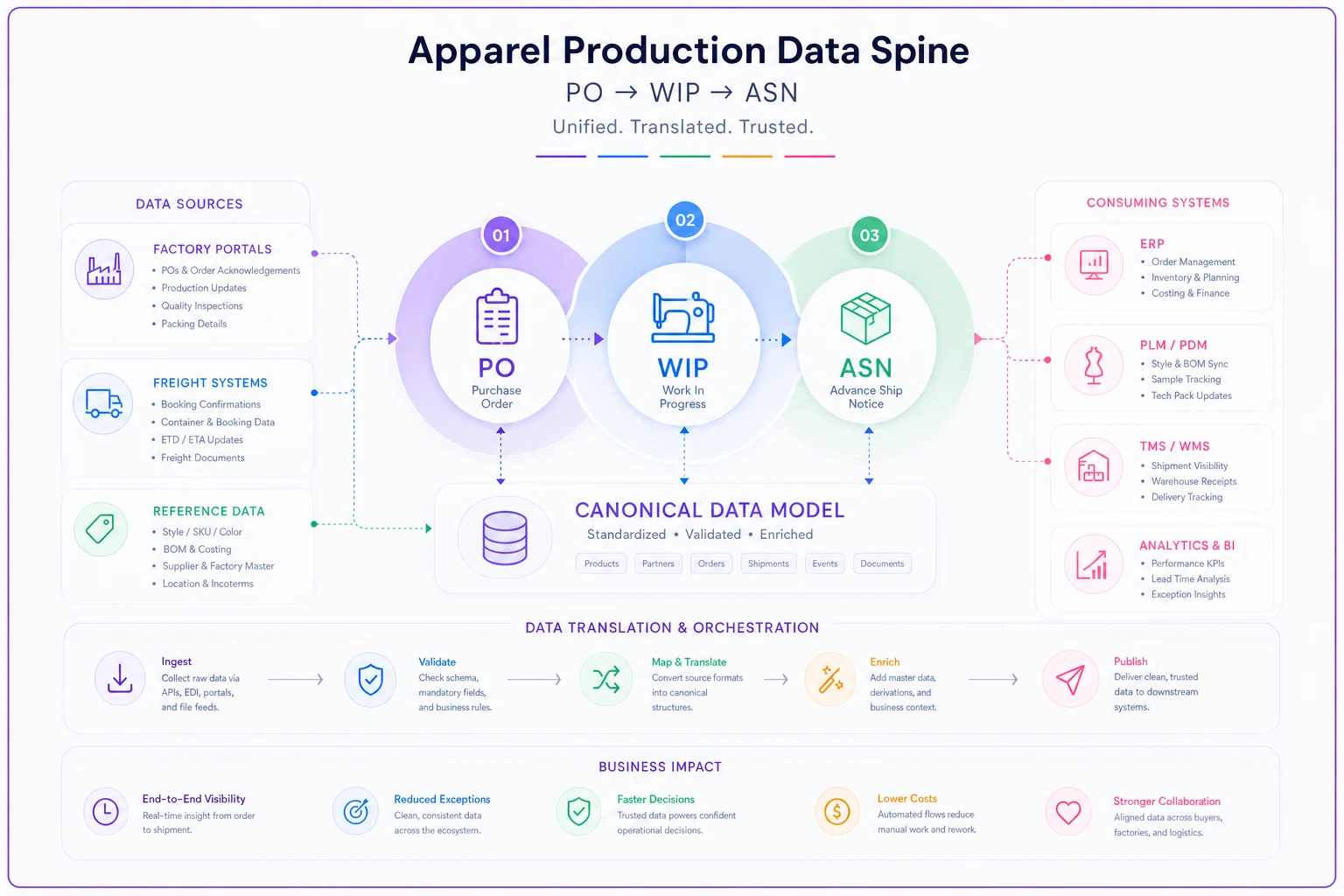
A useful gut check: if you can't answer "for PO #4471, how many units are cut, sewn, and shipped right now" in under two minutes, your WIP integration isn't done yet, no matter what your project plan says.
Sample mappings: making systems agree
Once you know what to connect and in what order, the actual work is mapping. Tedious but not hard. The core idea is a translation table that lives in one place and converts each system's dialect into the canonical model.
Factory portal field → Canonical field ------------------------------------------ "Order Ref" → PONUMBER "Article" → STYLEID (strip prefix, uppercase) "Colour" → colorcode (lookup table) "Qty Ordered" → orderedqty (integer) "Delivery" → exfactorydate (parse dd/mm/yyyy)
canonical_code aliases ----------------------------------------- NAV "Navy", "Nvy", "Dark Blue", "NAVY" BLK "Black", "Blk", "Jet" NAT "Natural", "Ecru", "Off White"
That color lookup alone solves a huge share of reconciliation mismatches. Half the "phantom discrepancies" teams spend hours chasing are just two systems spelling the same color differently.
For WIP, the mapping usually involves normalizing stage names, because factories report progress in wildly different vocabularies — "in stitching," "assembly," "line 3" all need to collapse into a canonical SEWN stage with a percentage or unit count attached.
Lightweight audit scripts you can run without a data team
You don't need a platform to run daily reconciliation. A handful of small scripts — even ones a spreadsheet-comfortable ops person can maintain — will catch most problems. The logic matters more than the language.
PO vs WIP vs ASN quantity check for each PO in openorders: ordered = PO.orderedqty wip = sum(WIP.finishedqty where WIP.PO == PO) shipped = sum(ASN.packedqty where ASN.PO == PO) if wip > ordered: flag("Overproduction", PO) if shipped > wip: flag("Shipped more than finished", PO) # data error if PO.pastexfactory and shipped < ordered * 0.98: flag("Short shipment risk", PO)
Ex-factory slip predictor for each PO where status == inproduction: daysleft = PO.exfactorydate - today pctdone = WIP.finishedqty / PO.orderedqty if daysleft < 7 and pct_done < 0.6: flag("At risk of missing ex-factory", PO)
Neither of these is sophisticated. That's the point. Simple checks run consistently beat complex checks run never. The output should be a short exception list — the 5 to 10 POs that need a human — not a 200-row report nobody reads.
If you want to think more carefully about which signals deserve a flag versus which are noise, the prioritization approach in what visibility signals matter for small apparel manufacturers is a good companion to these scripts.
Reconciliation cadences that hold up under pressure
Scripts without a schedule are shelfware. The cadence is what makes integration real. A workable rhythm for a small-to-mid team:
-
Daily (during active production) Run the WIP and ex-factory slip checks. Review the exception list only. Should take around 15 minutes.
-
Per shipment Run PO→ASN quantity reconciliation before goods leave the factory, not after. Catching a 20-unit short while it's still on the floor is free; catching it at the retailer's DC costs you a chargeback.
-
Weekly Reconcile cumulative shipped vs. ordered across all open POs. Update your S&OP view with real WIP numbers.
-
Monthly Audit the mapping tables themselves — new colors, new factories, new style formats that snuck in and need canonical codes.
That last one is the step everyone forgets. Mappings rot. A new factory joins, uses a color name your lookup table doesn't recognize, and suddenly your "reliable" reconciliation quietly stops catching that factory's discrepancies. Auditing the mappings monthly keeps the whole system honest.
A real scenario
A womenswear brand running roughly 120 styles a season across three factories was reconciling PO to shipment entirely by hand — one production coordinator matching spreadsheets against factory emails. Chargebacks for short and mixed shipments were running somewhere around $2k–$3k a month, and nearly every one was discovered weeks after the fact when the retailer deducted it.
They didn't buy a PLM. They built a canonical style ID, a color lookup table, and two reconciliation scripts run against exported CSVs from their factory portals. The whole thing took about six weeks of part-time work.
The shift wasn't dramatic overnight. But within two seasons the pattern changed clearly. Discrepancies got caught before shipment because the per-shipment check ran while goods were still on the factory floor. Chargebacks dropped from a monthly headache to occasional. The coordinator got her evenings back — the daily exception list took minutes instead of hours. The less visible win was that S&OP forecasts finally matched real WIP, so planning stopped being a guessing game.
When this makes sense — and when it doesn't
This phased, script-driven approach fits well if:
-
You have roughly 40 to 300 styles per season
-
You're working with two or more factories using different systems
-
Your reconciliation is currently manual and inconsistent
-
You have at least one ops person comfortable with spreadsheets and light logic
When it's a bad idea: If you're a single-factory brand doing 20 styles a season, this is overkill. A well-structured shared spreadsheet with a canonical style ID column will get you 90% of the value. Don't build reconciliation scripts for a problem you can eyeball.
Who should skip the DIY route entirely: If you're already at 500+ styles across many factories and multiple warehouses, the manual-script version will collapse under its own weight. At that scale you genuinely need a proper platform — the phased model here becomes the specification you hand to that system rather than something you maintain in spreadsheets.
Building the roadmap this way — canonical model first, prioritized matrix second, scripts and cadences last — means that when you eventually do adopt a heavier system, you already know exactly what your data should look like and where the leaks are. You're not handing a vendor a blank slate and hoping they figure out your business. You're handing them a working model.
Where this leaves you
Data integration in apparel isn't a software purchase. It's a sequence of small, ordered decisions: agree on what your objects are, decide which connections actually cost you money, translate every system into one language, and check the numbers on a rhythm you'll actually keep.
The teams that get this right aren't the ones with the biggest tech budgets. They're the ones who resisted the urge to connect everything at once, started with the PO→WIP→ASN spine, and treated their mapping tables like something worth maintaining. Start with the middle of your chain — that's where the money's leaking — and let the rest follow.
Data integration in apparel isn't a software purchase. It's a sequence of small, ordered decisions: agree on what your objects are, decide which connections actually cost you money, translate every system into one language, and check the numbers on a rhythm you'll actually keep.
The teams that get this right aren't the ones with the biggest tech budgets. They're the ones who resisted the urge to connect everything at once, started with the PO→WIP→ASN spine, and treated their mapping tables like something worth maintaining. Start with the middle of your chain — that's where the money's leaking — and let the rest follow.
Ready to tailor your apparel operations?
Join 500+ fashion brands using GoTailo to accelerate product launches, reduce waste, and improve supplier collaboration.